

Custom support for big teams
Message us on Telegram for
a private group with direct support.

Tracking links
See which sources, vendors, campaigns, and trial links generate subscribers and revenue across every creator account.
A tracking link is a customized URL used to track the performance of a specific marketing effort, such as a campaign, post, or message. It lets creators and agencies monitor clicks, fans acquired, and the revenue those fans generate.

Custom URL

Track visitors

Measure growth

See earnings
With the creator's authorization, open Profile Settings in the creator's OnlyFans account.
Scroll to the Subscription section and click 'Tracking links'.
Press 'Create New Tracking Link'.
Assign a name to your tracking link and add the URL.
Click 'Create Tracking Link' to finish.
Use one link per source so the data stays comparable, then tag your links in OnlyMonster to group them by vendor or campaign.
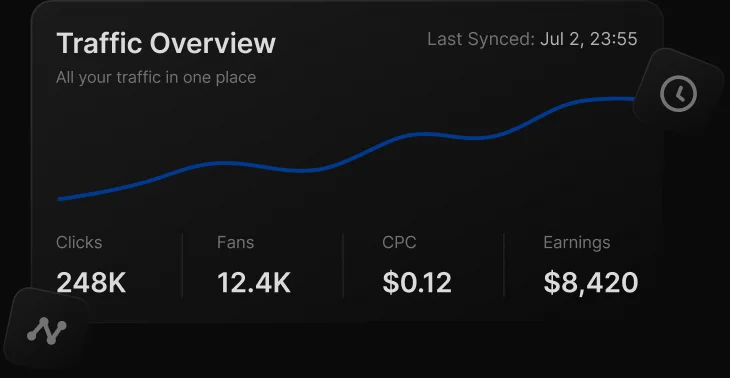
The dashboard shows Tracking Links, Trial Links, and Direct Traffic in a single interface. For tracking and trial links, you see clicks, fans acquired, and earnings. Direct Traffic shows the fans and revenue that arrived without a link.
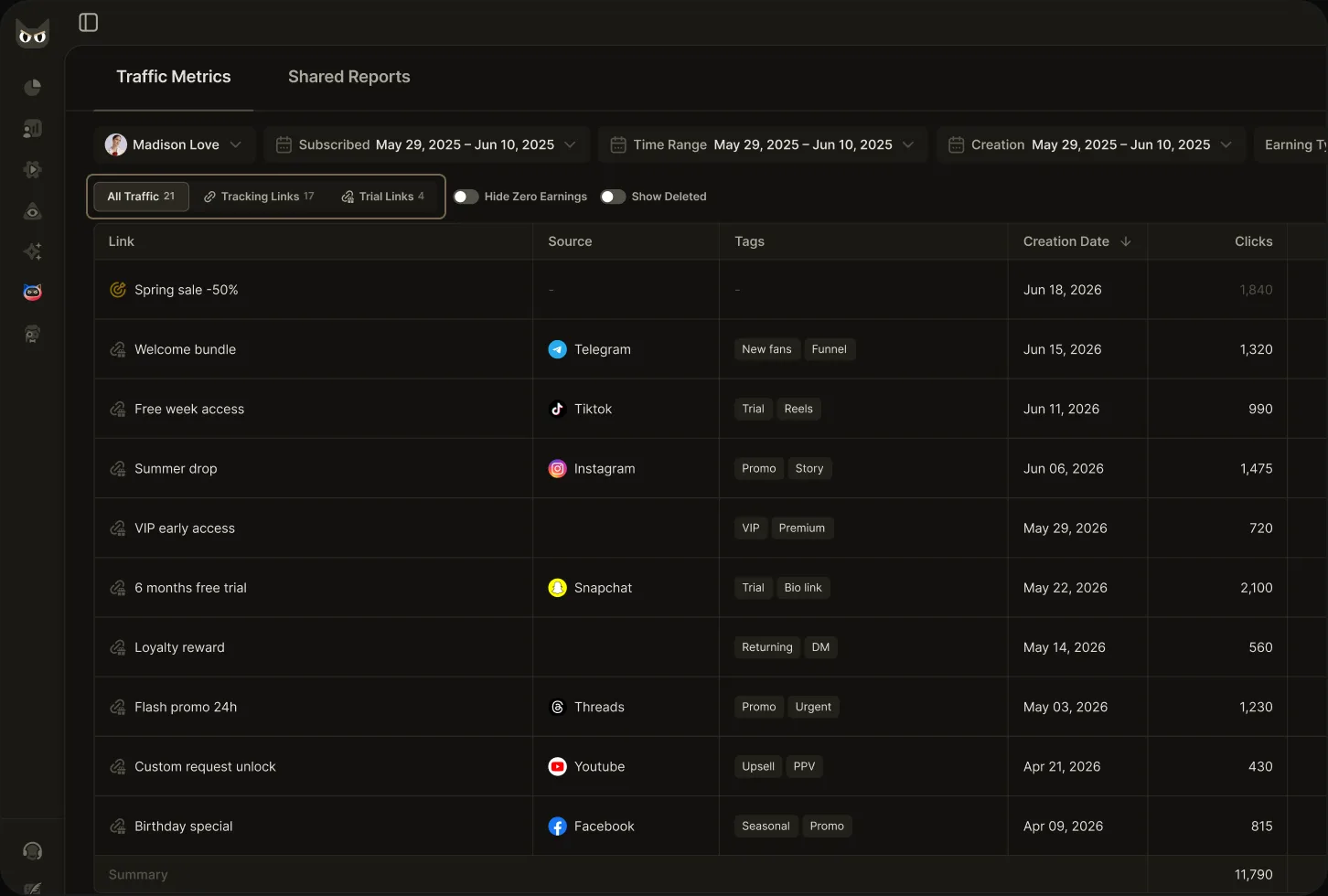
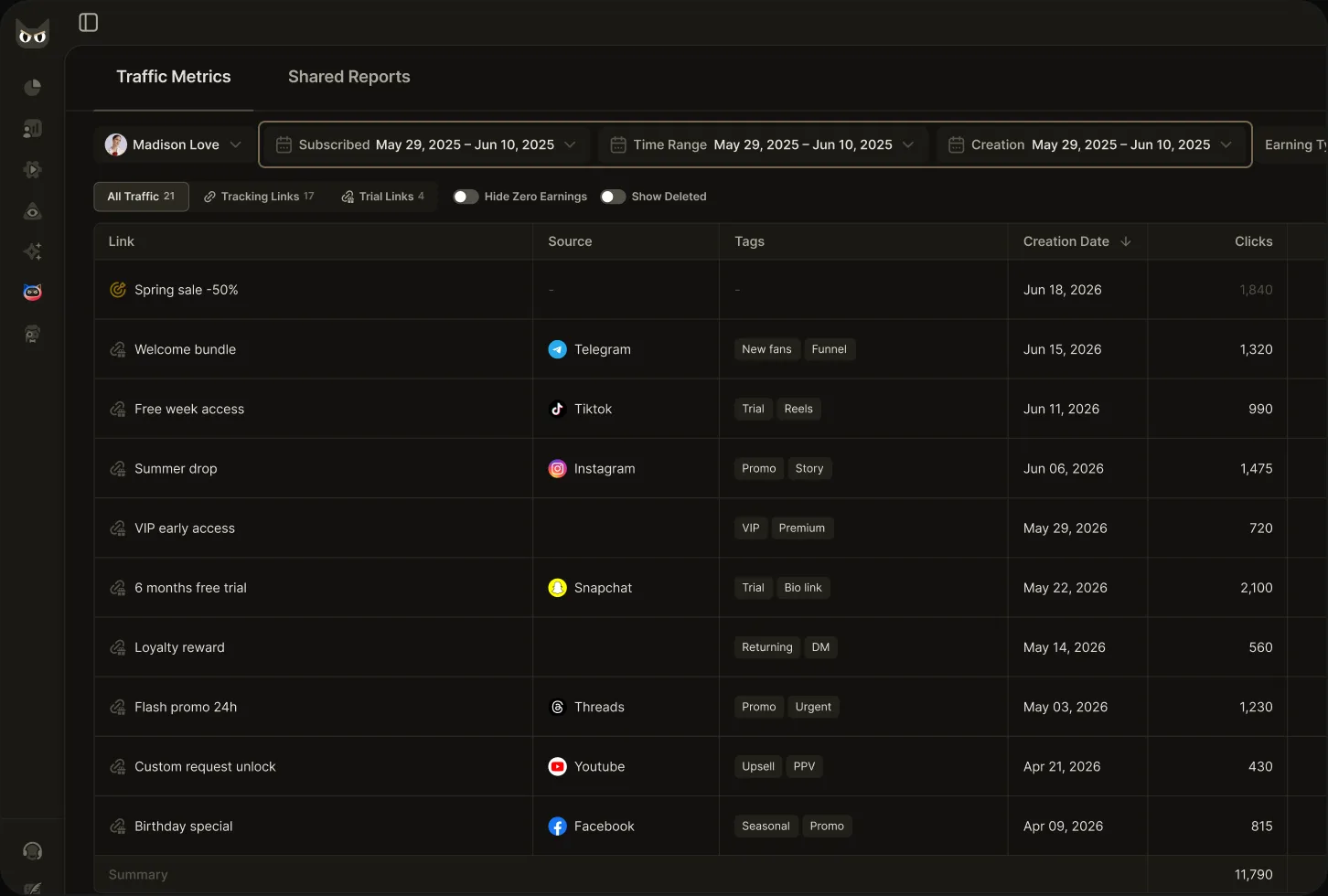
Filter by link Creation Date Range, Fan Subscription Date Range, and Earnings Date Range. The three combine to follow performance from link creation through fan acquisition to revenue.
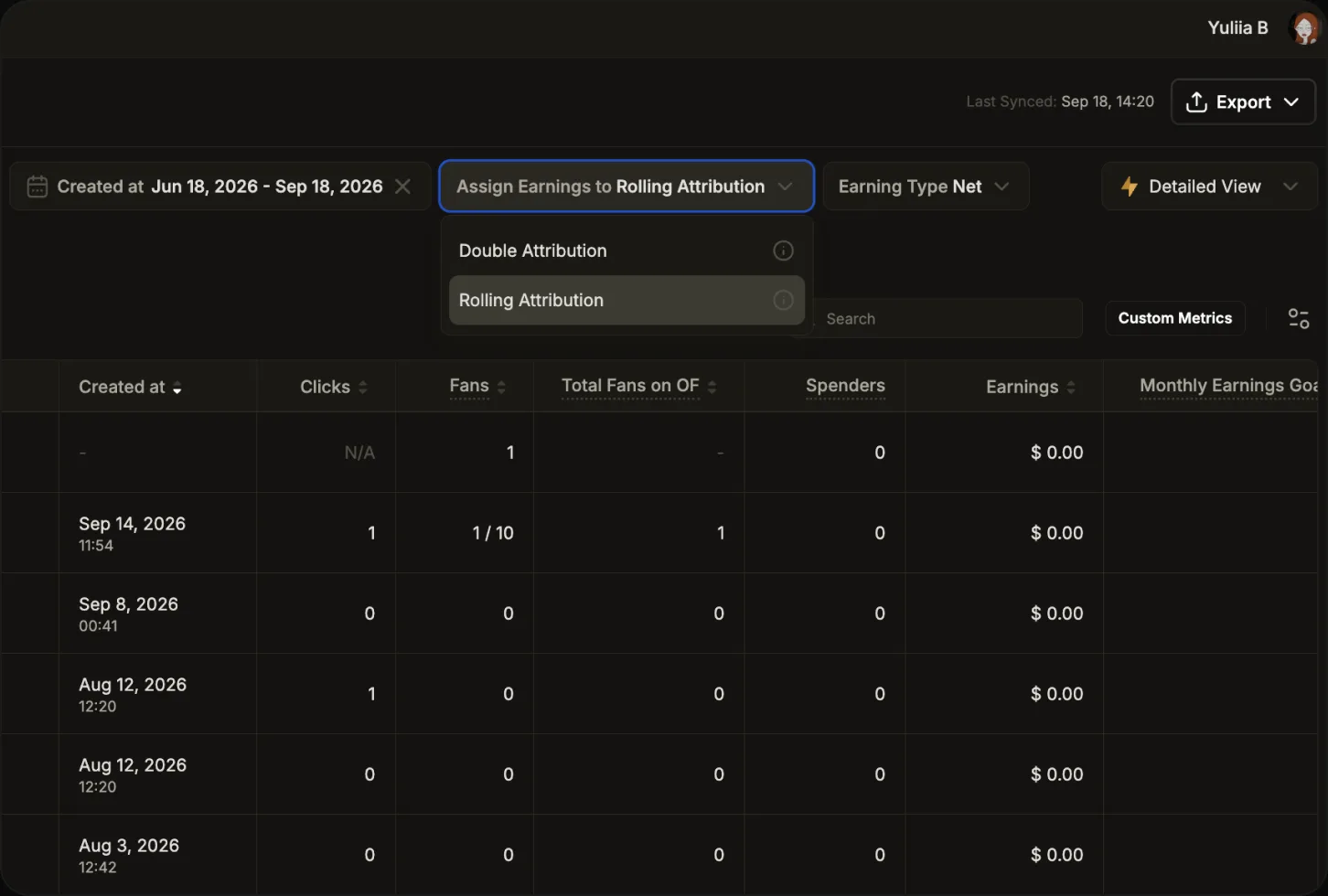
Rolling Attribution credits earnings to the fan's most recent subscription link, showing live traffic effectiveness. Double Attribution credits every link the fan subscribed through. Choose the model that matches how you pay your sources.
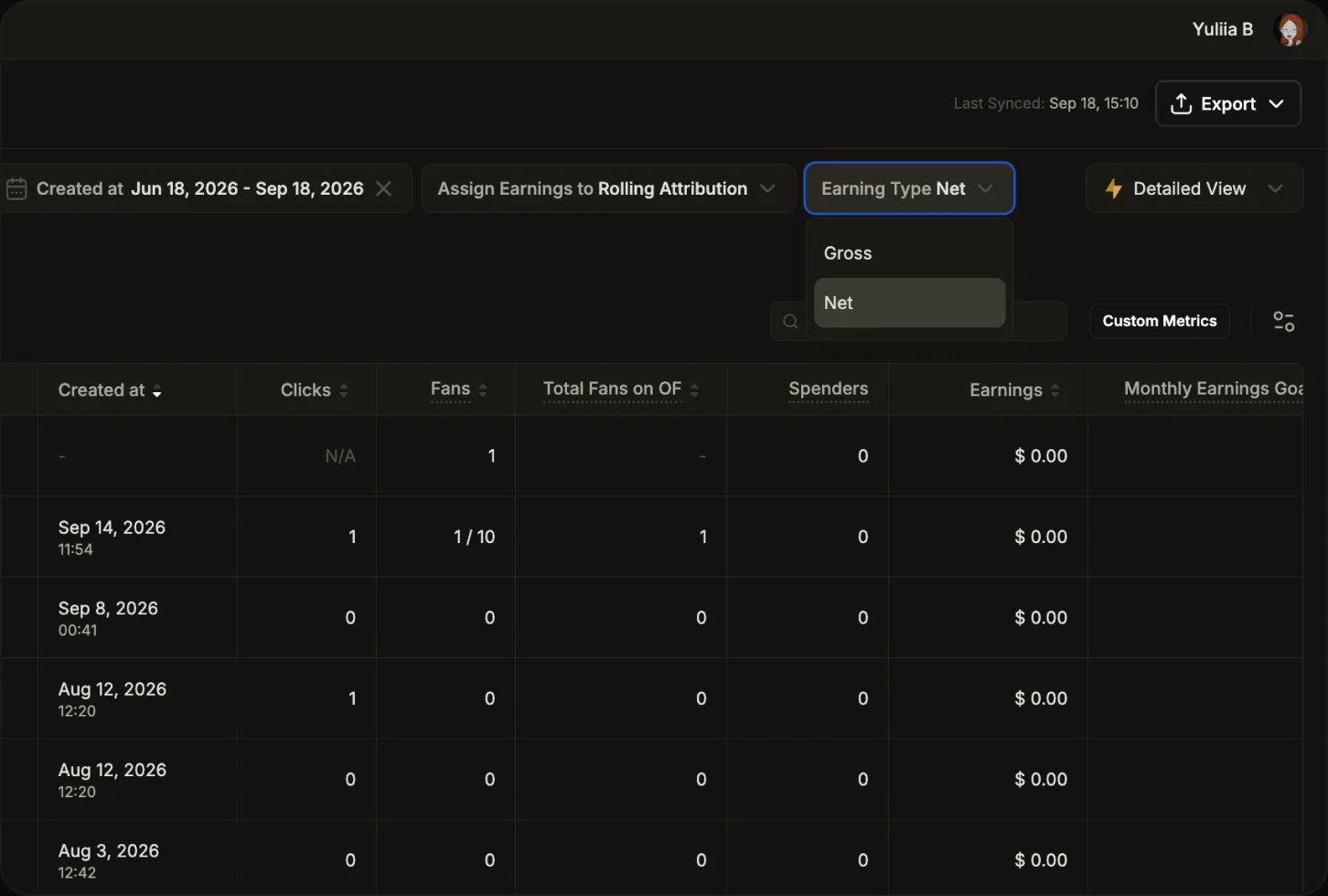
Switch between total revenue and earnings after platform commission. Hide Zero Earnings filters out links that produced nothing; Show Deleted brings back removed links with their full history.
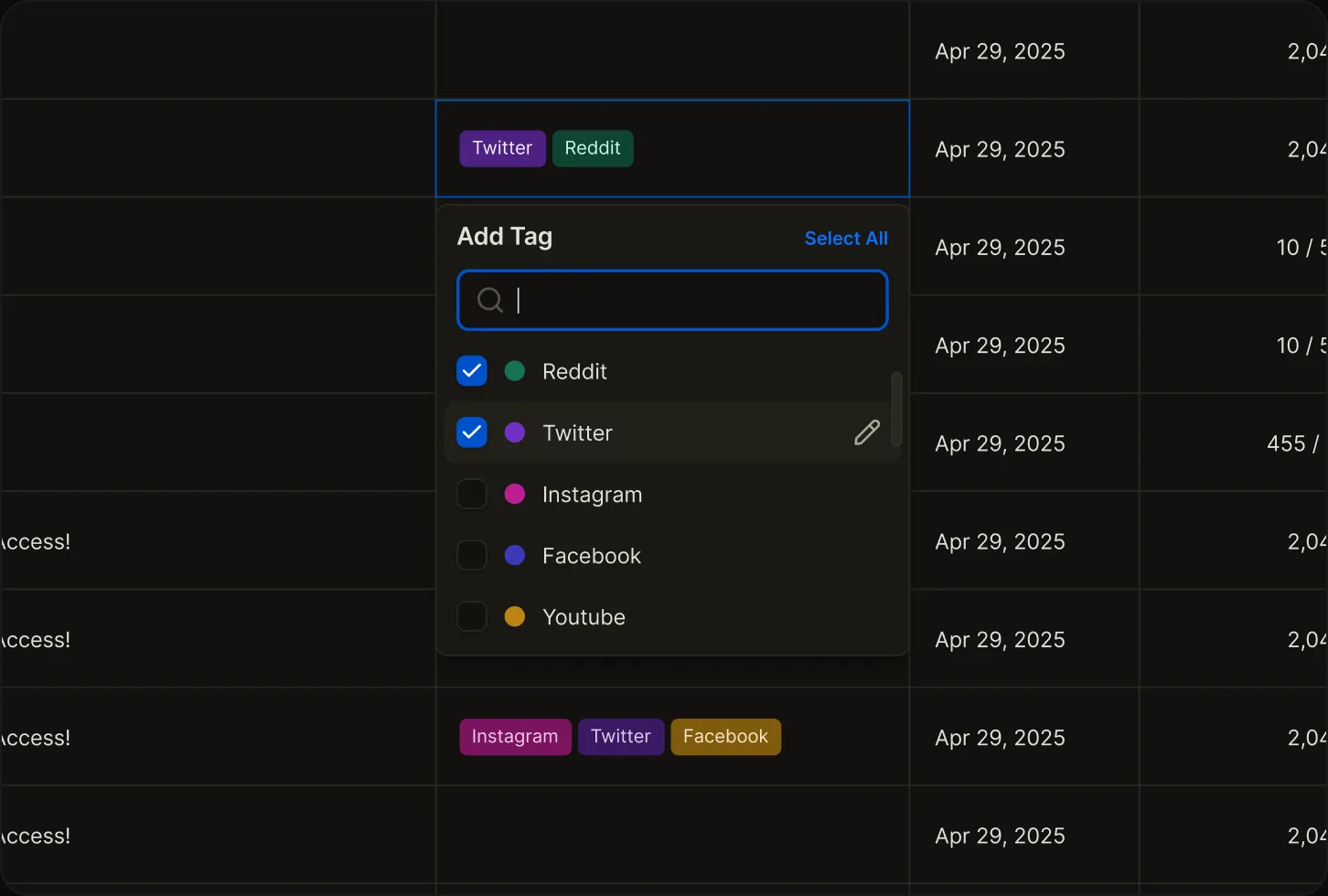
Group links with custom tags and colors — up to 300 tags per organization and 20 per link. Rename a tag once, and the change applies everywhere.
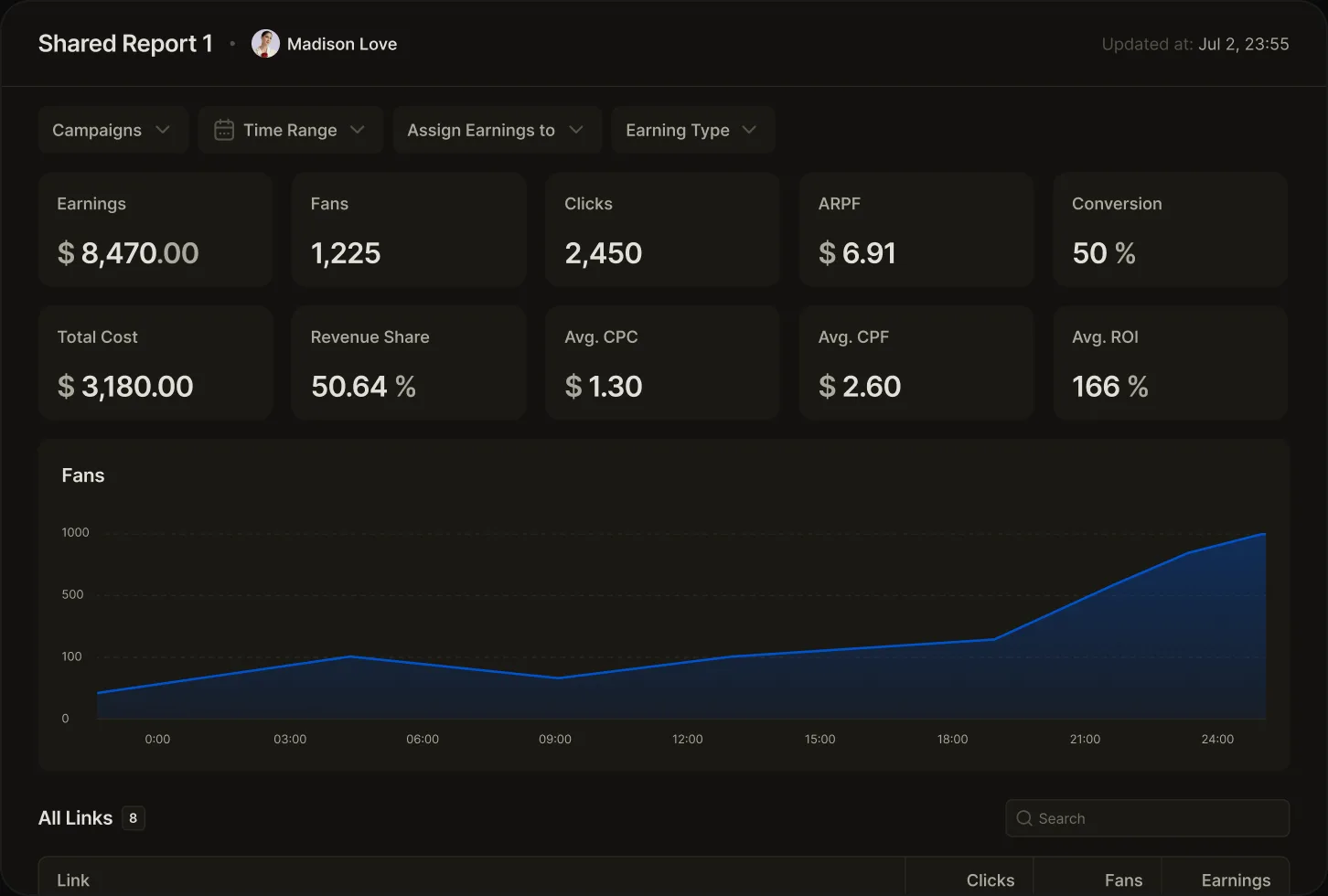
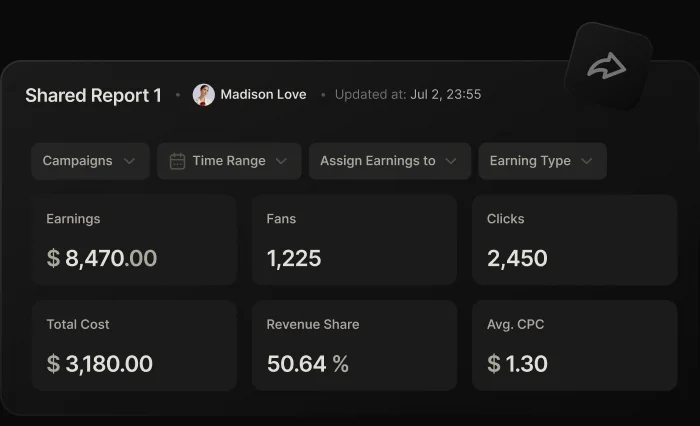
Share aggregated traffic performance with your vendors and affiliates — no individual fan data, and without opening your full dashboard. Both sides see the same aggregated numbers, which helps prevent disputes over traffic quality.
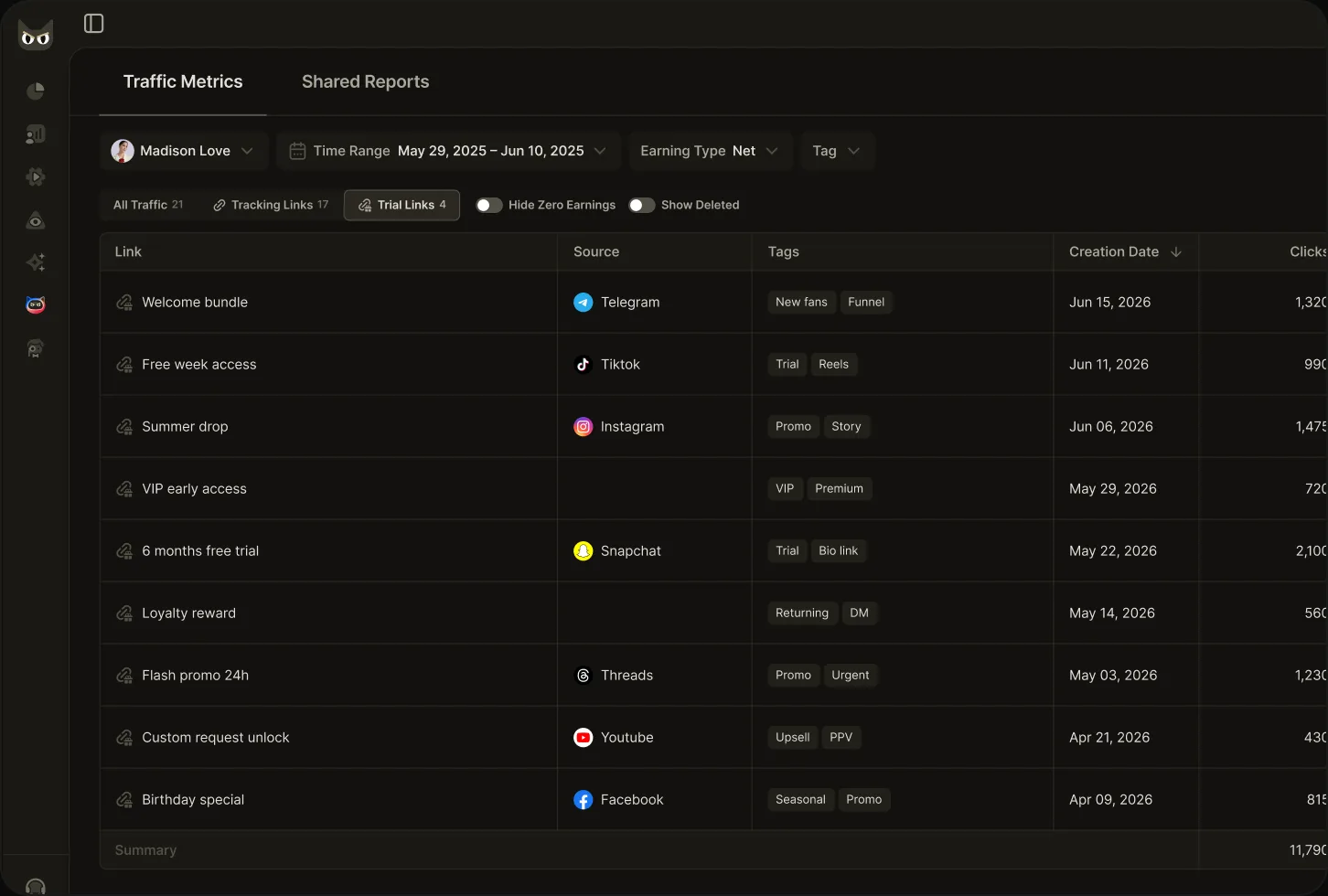
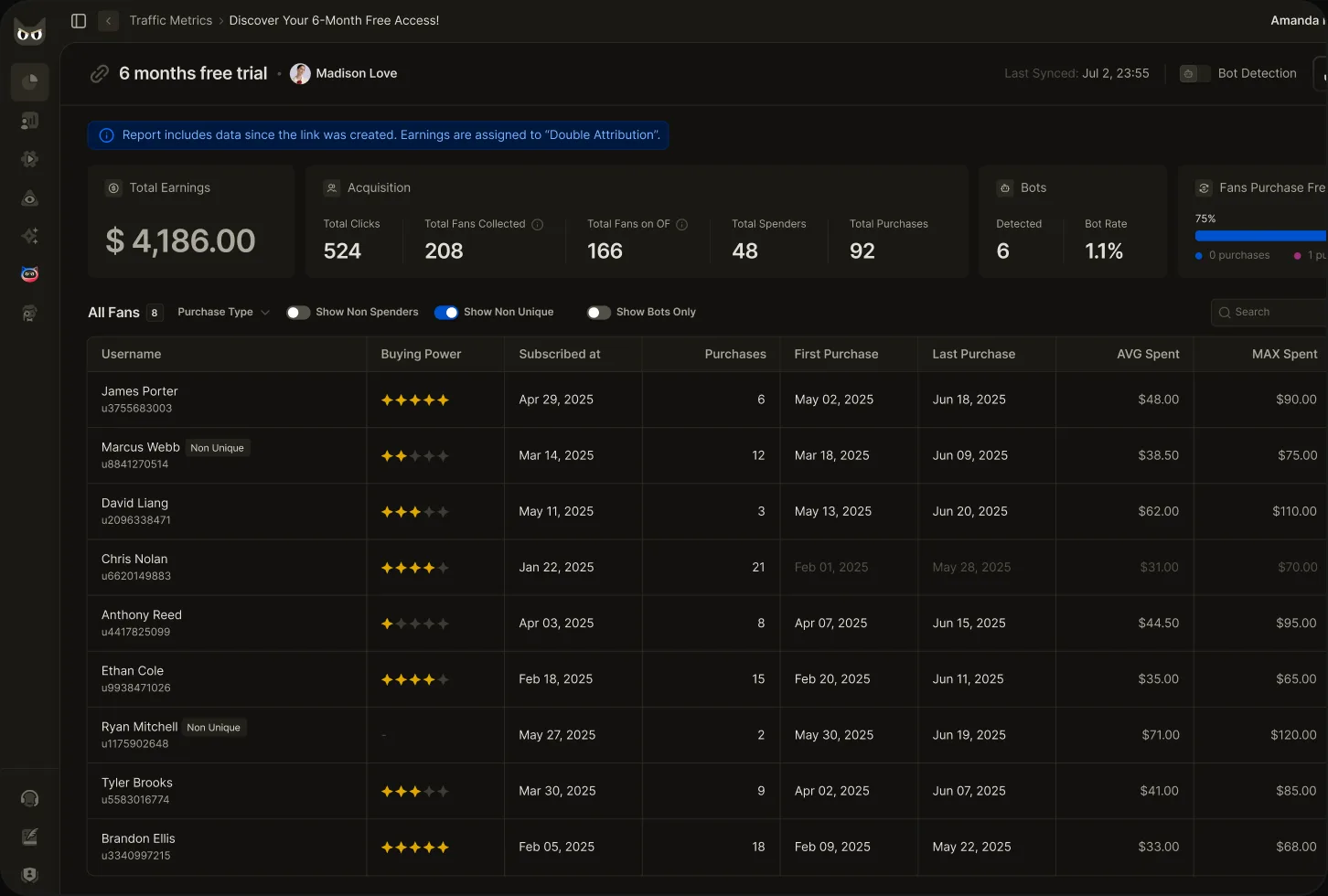
Track free trials as their own traffic source, separate from tracking links, so you can see what your trial campaigns actually convert into paying fans.
Open any link to see the subscribers and earnings it brought in, so you can check the quality of each traffic source.
Run the same attribution across every creator in the roster, so you can compare vendors on
the revenue they produce rather than on clicks. Covers performance tracking and chatter
performance per source.
Detailed mode analyzes a 180-day window with both attribution models. Standard mode covers
all-time history using Double Attribution.
 Source
 Chatter
 Analysis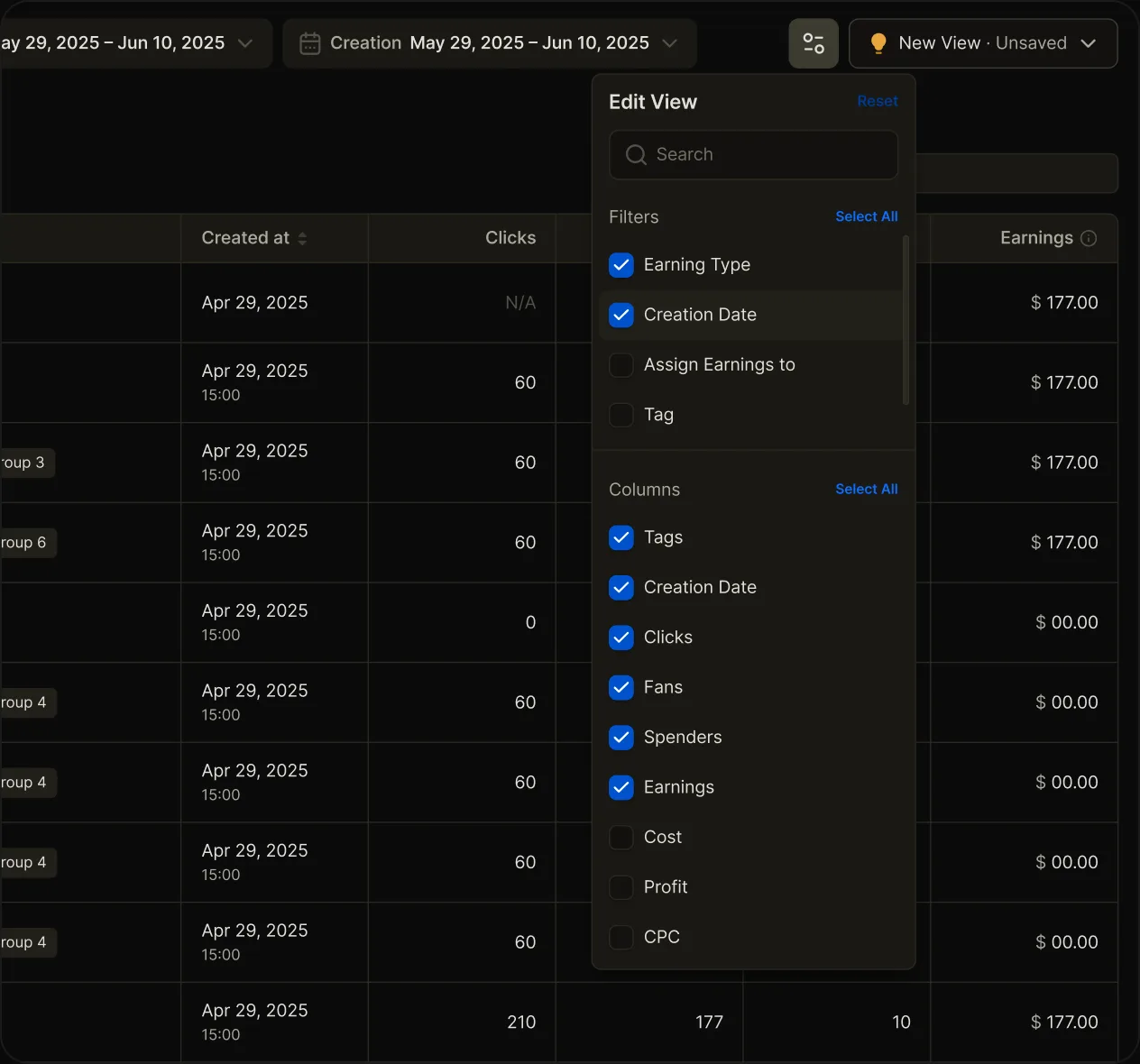
See whether the traffic your agency attracts is not only high in volume but also relevant. OnlyMonster does not generate or sell traffic: it shows how traffic from each source converts into subscribers and earnings so that you can judge its quality.

Tracking Links statistics usually update every hour, at 10 minutes past the hour, and Trial Links at 20 minutes past the hour. Last Synced shows exactly how recent the numbers are.
Give each source visibility into the aggregated results of their traffic. Useful when you work with paid traffic sources.
Intelligent data analysis and actionable insights to grow your traffic and earnings.
Navigating your possible queries.
A tracking link is a customized URL used to measure the performance of a specific marketing effort — a campaign, a post, a vendor, or a message. It lets creators and agencies see clicks, fans acquired, and the earnings those fans generate, instead of guessing which channel brought the fan.
With the creator's authorization, open Profile Settings in the creator's OnlyFans account. Scroll to the Subscription section and click 'Tracking links', then press 'Create New Tracking Link'. Assign a name, add the URL, and click 'Create Tracking Link' to finish. Use one link per source so the data stays comparable.
Agencies create a separate tracking link per source, vendor, and campaign, tag them, then compare cost against what each link returns in fans and earnings. OnlyMonster runs this across every creator in the roster, with Rolling or Double Attribution depending on how you credit a source.
Rolling Attribution credits all future earnings to the fan's most recent subscription link, which shows how your live traffic is performing now. Double Attribution credits every link a fan subscribed through: the first subscription carries all future earnings, while later ones track only new spend.
Yes. Shared Reports let you give a vendor or affiliate aggregated statistics on the traffic they sent — without individual fan data and without opening your full dashboard. You choose which metrics to share and can revoke the link at any time. Both sides see the same aggregated numbers, which helps prevent disputes over traffic quality.
Direct Traffic is the fans and revenue that arrived without a tracking or trial link. Traffic Metrics shows it as a separate line, so the fans you cannot attribute to a campaign are still visible rather than silently missing from your totals.
Message us on Telegram for
a private group with direct support.
Follow Telegram for fresh updates
and feature drops.

Drive revenue growth with OnlyMonster's traffic analytics solution.